AI Chatbots Integration: What You Need to Know for Business and Personal Use

Understanding AI Chatbot Integration: A Practical Guide
AI chatbots have rapidly moved from novelty to essential tools for both businesses and individuals. While the standalone capabilities of these conversational agents are impressive, their true power is unlocked through seamless integration with existing systems and workflows. This guide will walk you through the practical aspects of integrating AI chatbots, ensuring you harness their full potential for efficiency, enhanced user experience, and strategic advantage.
What Does AI Chatbot Integration Truly Mean?
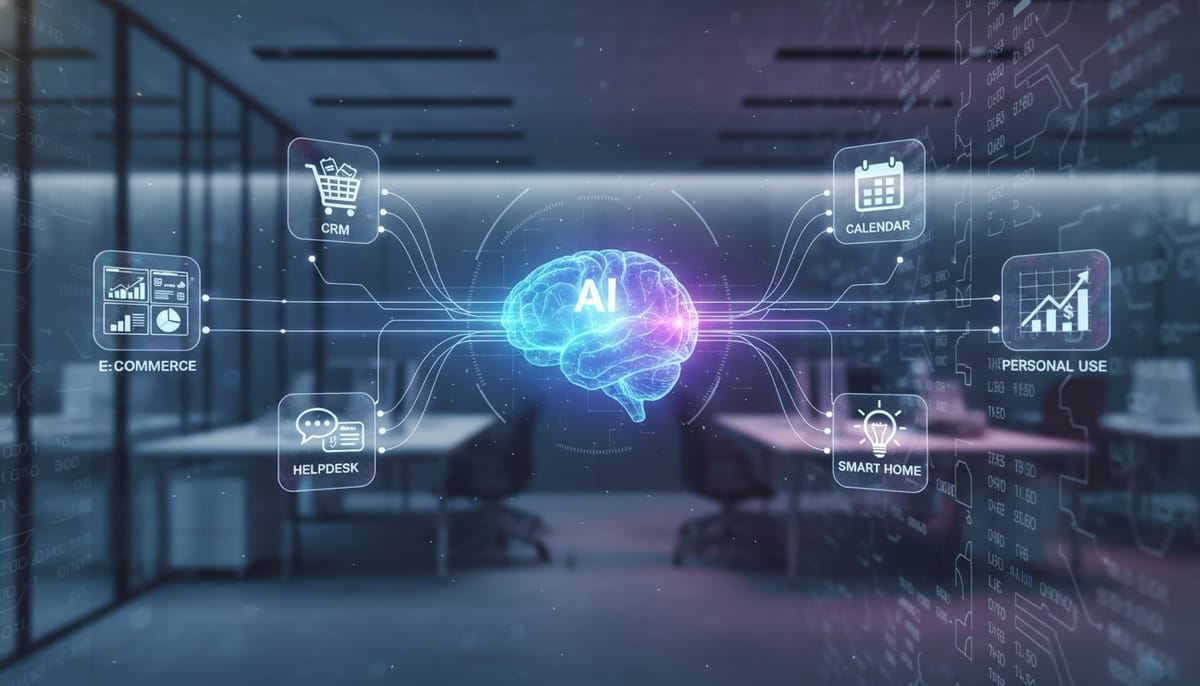
At its core, AI chatbot integration refers to connecting a chatbot with other software applications, databases, or platforms. Instead of operating in isolation, an integrated chatbot can access, process, and act upon information from various sources. This might involve linking it to your Customer Relationship Management (CRM) system, Enterprise Resource Planning (ERP) software, e-commerce platform, internal knowledge bases, or even personal productivity apps.
- API Integration: The most common method, using Application Programming Interfaces (APIs) to allow different software to communicate.
- Pre-built Connectors: Many chatbot platforms offer ready-made integrations with popular business tools (e.g., Salesforce, Zendesk).
- Custom Solutions: For unique needs, custom development can bridge specific systems.
Key Benefits of Strategic Chatbot Integration
Integrating AI chatbots isn't just about adding a new tool; it's about transforming how you operate and interact. The benefits are substantial:
- Enhanced Customer Service: Chatbots can retrieve customer history from a CRM, provide personalized support, answer FAQs using a knowledge base, and even process orders from an e-commerce system, all in real-time.
- Streamlined Operations: Automate tasks like lead qualification, appointment scheduling (integrating with calendars), data entry, and internal support, freeing human staff for more complex work.
- Personalized User Experiences: By accessing user data from integrated systems, chatbots can offer highly relevant recommendations, tailored information, and proactive assistance.
- Data-Driven Insights: Integrated chatbots can collect valuable interaction data, which, when combined with data from other systems, provides deeper insights into customer behavior, operational bottlenecks, and service gaps.
Practical Steps for Business Integration
Implementing AI chatbots effectively in a business environment requires a structured approach. Follow these steps for successful integration:
Step 1: Define Your Objectives and Use Cases
Before you even choose a chatbot, clearly articulate what you want it to achieve. Are you aiming to reduce support call volume, improve lead generation, automate sales, or enhance internal communication? Specific objectives will guide your choice of chatbot platform and integration strategy.
- Example: "Reduce customer service response time by 30% for common queries by integrating with our FAQ database and ticketing system."
Step 2: Choose the Right Chatbot Platform
Not all chatbot platforms are created equal. Consider their native integration capabilities, ease of API access, scalability, natural language processing (NLP) prowess, which is a key component of our NLP Solutions, and cost. Platforms like Dialogflow, IBM Watson Assistant, or leveraging the insights from OpenAI: Full Features Guide to Their Models and Ecosystem, or custom solutions built on frameworks often offer robust integration options.
Step 3: Identify Systems for Integration
Map out which existing business systems your chatbot needs to interact with. This might include:
- CRM: Salesforce, HubSpot, Zoho CRM
- E-commerce: Shopify, Magento, WooCommerce
- Helpdesk: Zendesk, Intercom, Freshdesk
- Internal Tools: Slack, Microsoft Teams, SharePoint, ERP systems
- Databases: SQL, NoSQL databases for product info, user profiles
Step 4: Plan the Integration Strategy and Data Flow
Decide how the data will move between the chatbot and your chosen systems. Will the chatbot pull data (e.g., customer order status) or push data (e.g., new lead information)? Document the API endpoints, authentication methods, and data formats required for each connection. Consider security implications at this stage.
Step 5: Implement, Test, and Iterate
Start with a pilot integration for a specific use case. Rigorously test the integration for functionality, accuracy, and performance. Conduct user acceptance testing (UAT) with a small group of users. Be prepared to iterate based on feedback and performance data.
- Tip: Implement in phases. Don't try to integrate everything at once.
Step 6: Monitor and Optimize
Once live, continuously monitor the chatbot's performance and its integrated systems. Track key metrics like resolution rates, user satisfaction, and integration errors. Use this data to identify areas for improvement, refine your chatbot's responses, and optimize the integration points.
Integrating AI Chatbots for Personal Use
AI chatbot integration isn't exclusive to businesses. Individuals can also leverage these connections to enhance productivity and streamline daily life:
- Productivity Apps: Connect a chatbot to your calendar (Google Calendar, Outlook) to schedule meetings, set reminders, or manage your to-do lists (Todoist, Trello).
- Smart Home Devices: Integrate with home automation systems (Alexa, Google Home) to control lights, thermostats, or play music through a conversational interface.
- Personal Finance: Some chatbots can link to banking apps or budgeting tools to provide spending insights or pay bills.
- Information Retrieval: Connect to personal knowledge bases or cloud storage (Google Drive, Dropbox) to quickly find documents or information.
Addressing Challenges in Integration
While highly beneficial, integration can present challenges:
- Data Security & Privacy: Ensure all data transfers are encrypted and comply with relevant regulations (GDPR, CCPA). Choose platforms with robust security features, a critical aspect covered by our AI Security offerings.
- Technical Complexity: Integrating disparate systems can be complex. You may need developers or expert consultants to build and maintain custom integrations.
- Maintaining Context: Ensure the chatbot can carry context across different integrated systems to provide a seamless user experience. Advanced NLP and session management are key.
- User Adoption: Clearly communicate the benefits to users and provide training if necessary. Ensure the integrated experience is intuitive.
The Future of AI Chatbot Integration
The landscape of AI chatbot integration is constantly evolving. Expect to see more sophisticated multimodal AI (combining text, voice, and vision), deeper integration with virtual and augmented reality, and hyper-personalized experiences driven by even more comprehensive data access, as explored in depth within our ultimate guide on Generative AI. As APIs become more standardized and platforms more intelligent, integrating AI chatbots will become even more accessible and powerful.
By strategically integrating AI chatbots into your business operations or personal routines, you unlock a new level of efficiency, personalization, and intelligent automation. The key lies in careful planning, understanding your objectives, and continuously optimizing your integrated solutions, an area where our AI Strategy services excel.